







// Wingman AI · any game, built with Star Citizen in mind

Your AI crew for Star Citizen and every other game

Talk to your Wingmen in plain words. They press the keys, look things up for you and react on their own to what happens in Star Citizen. In any other game they work just as well, as your copilot or as a character to roleplay with.

Join our Discord community ->
Star Citizen game log Example
  1. Mission

    09:54 · Game event

    Contract accepted: 8 SCU Beryl to Teasa Spaceport

    Computer Beryl must reach Teasa Spaceport, so confirm you have 8 SCU loaded before departure.

  2. Ship

    09:55 · Game event

    Boarded: Argo MOLE, New Babbage

    Computer Argo MOLE is boarded at New Babbage, with monitored space access confirmed.

  3. You

    09:59 · You said

    "Let's set a path to Area18."

    Computer Path set for Area18, and the quantum drive is spooling. Corridor alignment looks good, engage when you're ready.

// New in Wingman AI 3

Rebuilt from the ground up

Tried Wingman AI before and gave up? We rebuilt it from scratch. This is what it does for you now.

  1. 01

    Your Wingmen remember you

    Tell your Wingman about your ship, your main or your favourite route, and it still knows next time. You can see and change what it remembers.

  2. 02

    Knows what happens in your game

    In Star Citizen your Wingmen notice missions, safe zones or injuries on their own and tell you. They can also show notes right on your screen while you play.

  3. 03

    Any voice, on your own PC

    Your Wingmen can speak with voices that run on your computer, in many languages. Record half a minute of any voice and your Wingman talks with it, at no cost.

  4. 04

    Understands you, answers fast

    Wingman AI gets what you say right more often, presses keys right away and answers sooner. It works out of the box, there is nothing to set up.

  5. 05

    Pick the AI you like

    Use the AI models from OpenAI, Google, Mistral and many more, and switch to a new one the day it comes out.

  6. 06

    Free to try, for real

    The Free plan has almost every feature and as many Wingmen as you want, with a budget that refills every month. Pro and Ultra give you 10 or 30 times as much usage, Voice Activation and more voices.

  7. 07 Finally fixed

    Always up to date

    You install Wingman AI once. New features and fixes arrive on their own, you never download a setup again.

  8. 08 Finally fixed

    Sign in once

    Sign in one time, with Discord if you like, and Wingman AI keeps you signed in. No password to remember.

  9. New

    Subscribe, switch and cancel in a few clicks

    Sign up for a plan, switch between Pro and Ultra, update your payment details, cancel or delete your account, all right here on the website or in our client.

// Star Citizen

The best AI copilot in the 'verse

Wingman AI reads Star Citizen's game log, sees what happens to you and answers in character. Ready-made Wingmen, live trade data and the lore come with it.

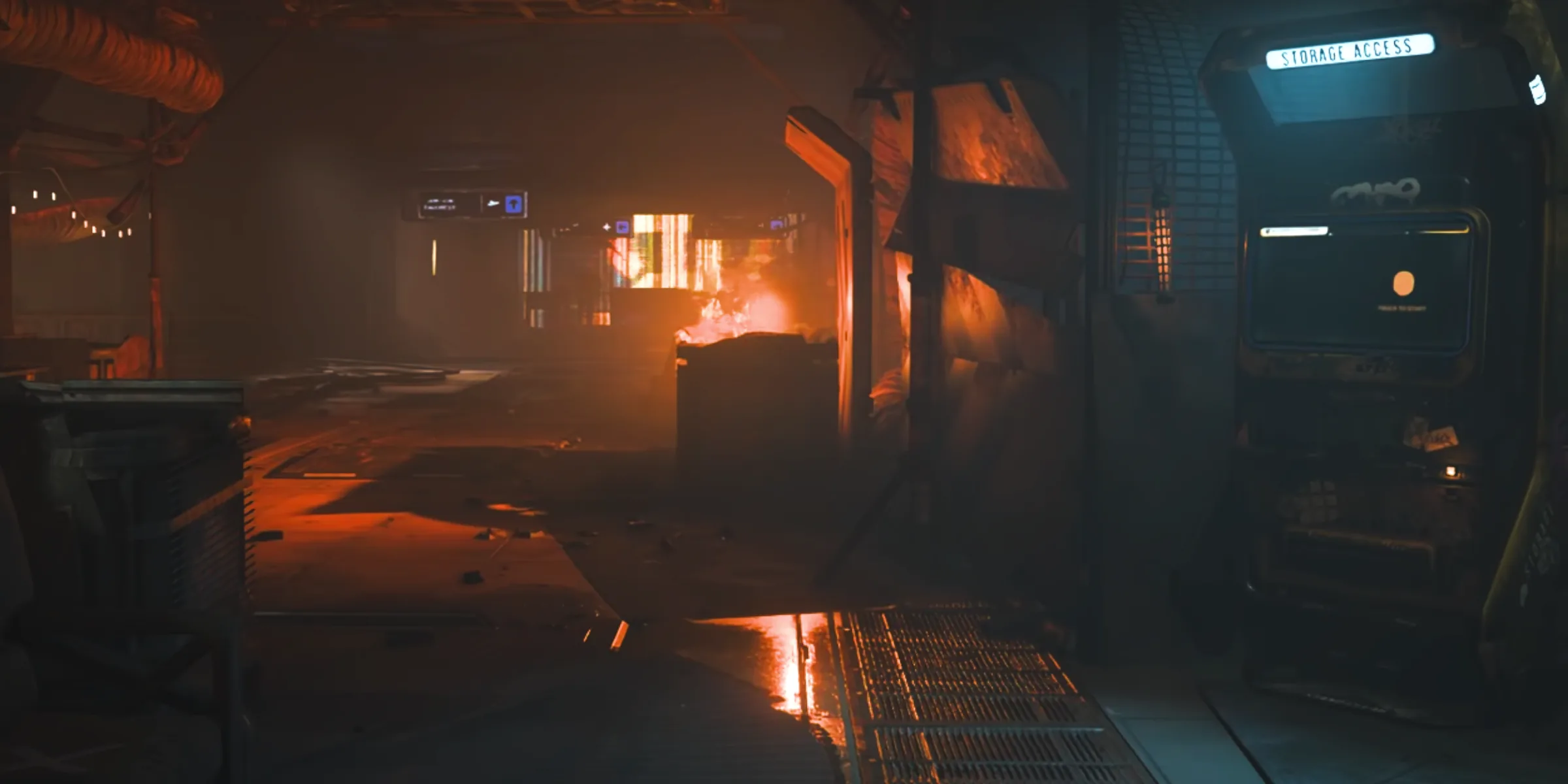
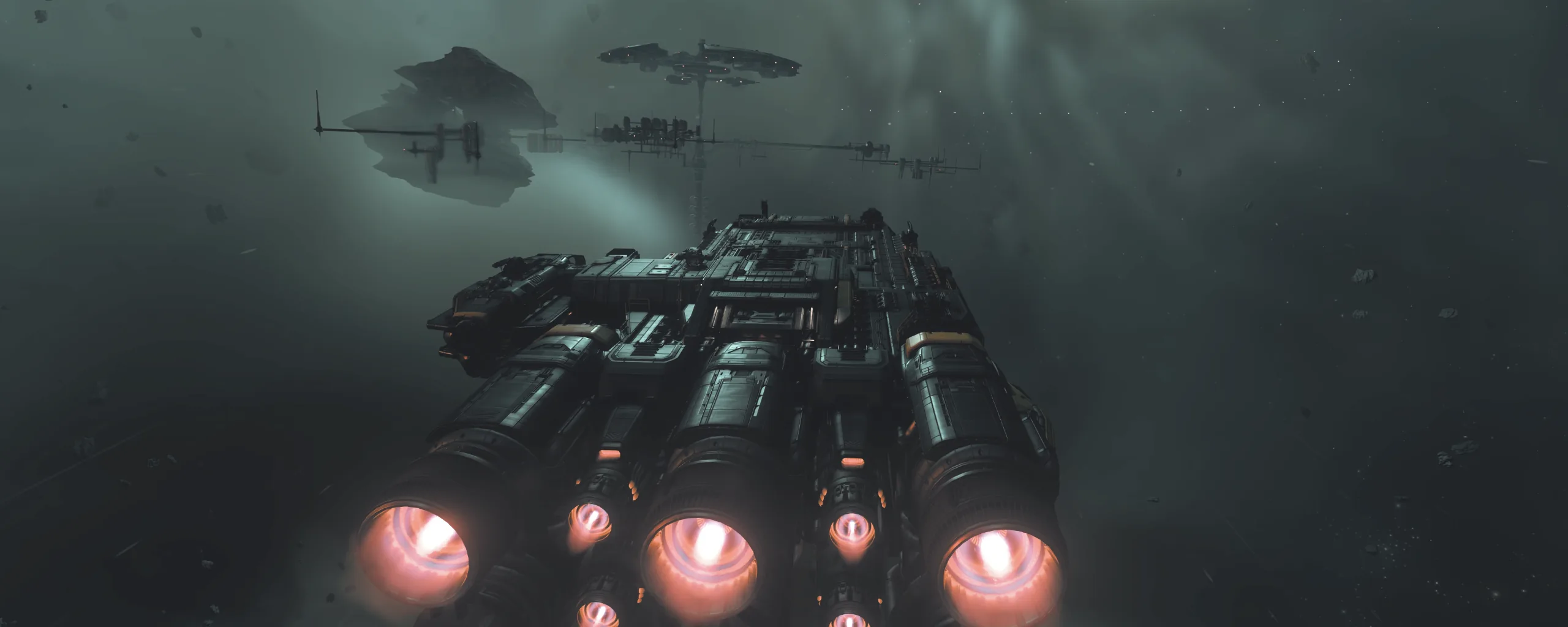
View from a cockpit towards a space station

You

Everus Harbor, requesting landing.

Pressed Left Alt + N

ATC

Cutlass Black, cleared to land. Hangar 07, keep it slow on approach.

Star Citizen Log Reader by Mallachi

Reacts to the game

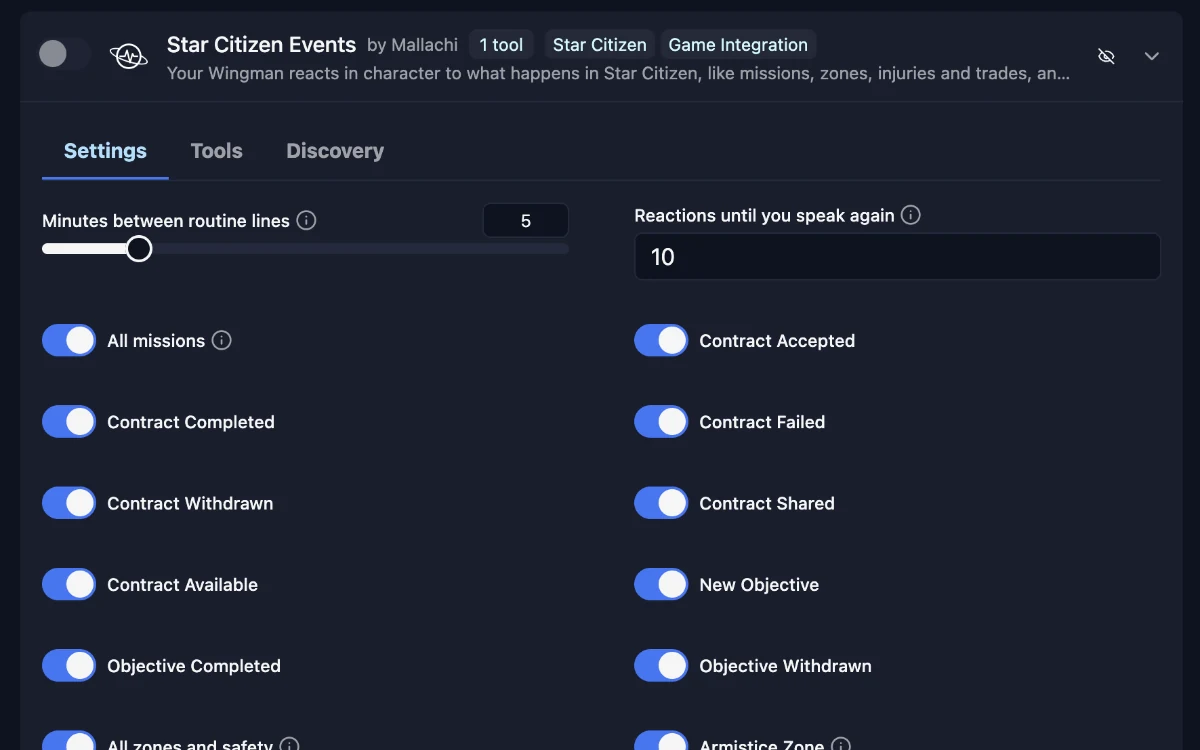
The log reader passes on missions, armistice zones, CrimeStat, injuries, your hangar and trades. Your Wingman reacts on its own and knows where you are and which missions you have.

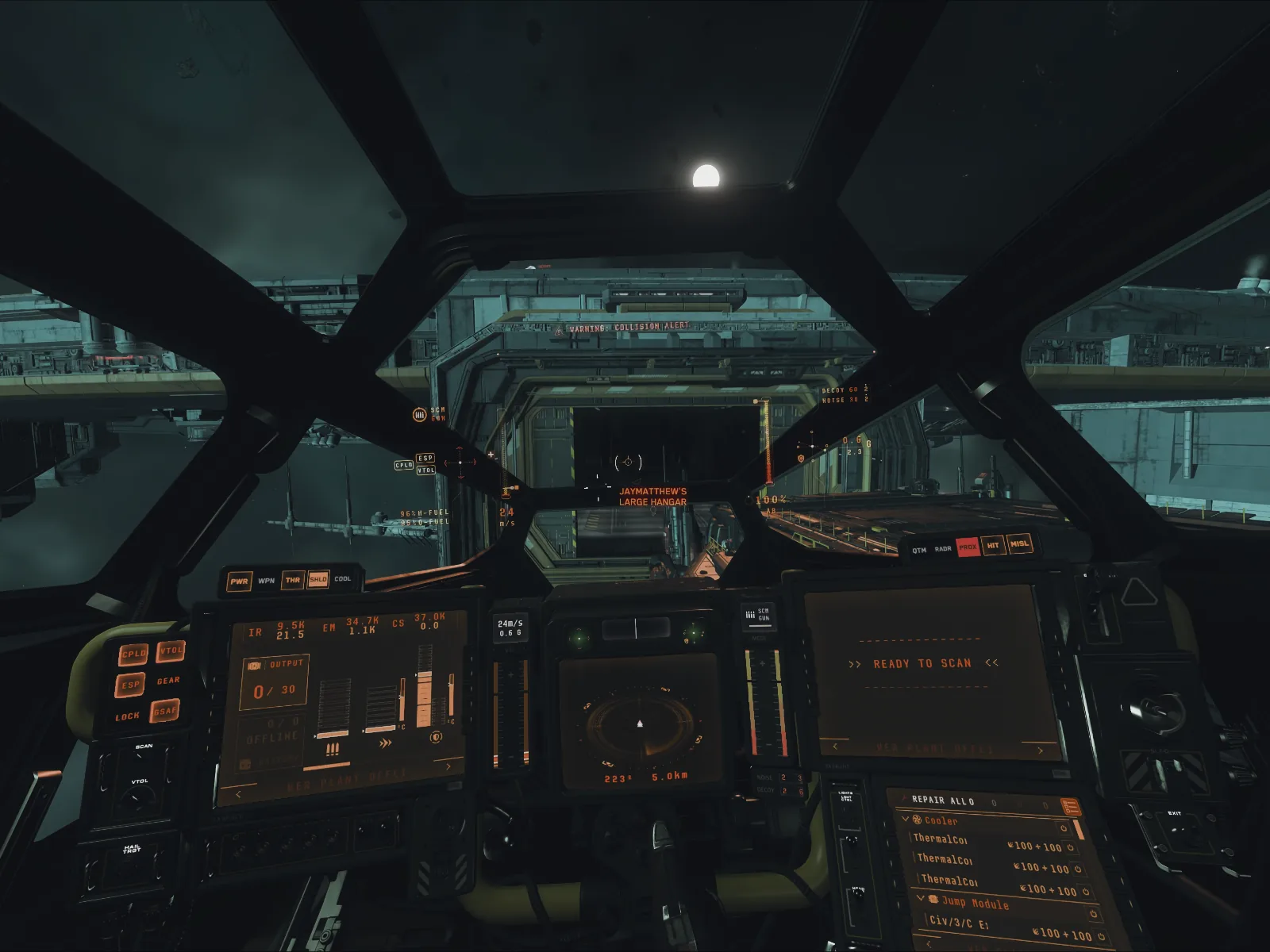
HUD by JayMatthew

See everything in-game

Replies, timers and progress bars appear on a transparent overlay above the game. You see them without leaving the cockpit.

Star Citizen Accountant by Mallachi

Mining & Trading

Trades and rewards are booked from the log on their own. A dashboard shows money, cargo, refining and your fleet on your PC or phone.

Your guide to the 'verse

Knows the lore

Ask about people, factions, star systems and history. Your Wingman looks it up in the official Star Citizen lore.

Ready-made Wingmen

  • ATC

    Air Traffic Control handles your calls to stations: landing requests, departure clearances and emergencies. It stays in character.

  • Computer

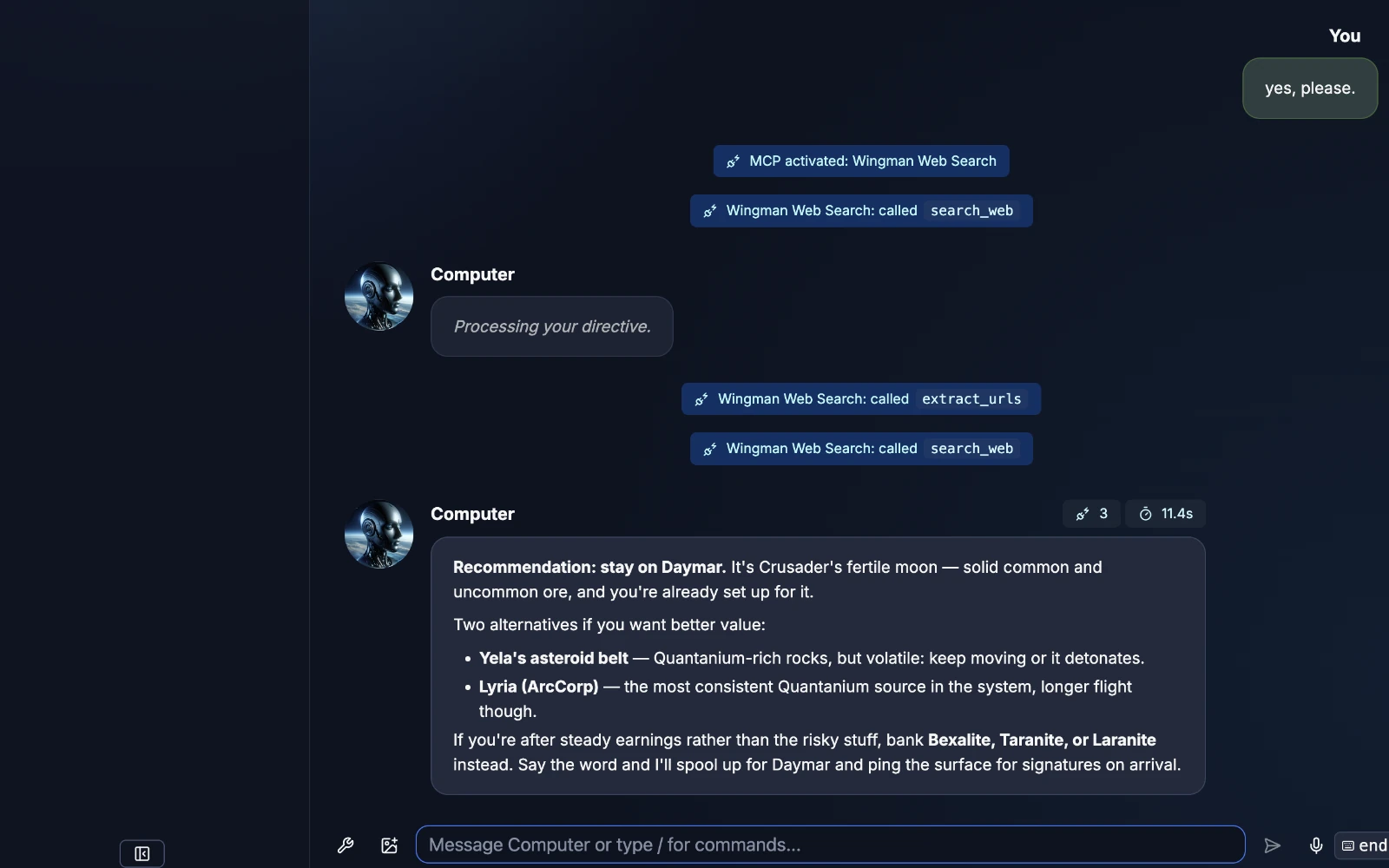
    Your ship's board computer. Comes with preconfigured keybindings and commands to control all ship systems. Connects to the StarHead API for real-time trading routes and ship information.

// Your Wingmen

Characters that act

Give each Wingman its own voice, role and commands.

01

Roleplaying

Recreate Shadowheart from Baldur's Gate 3 or Marvin from The Hitchhiker's Guide to the Galaxy. Clone their voices, control how they will react and what they can do. Let them interact with you and your game in a way that feels natural and fun.

02

Commands

Use the preconfigured commands or record your own: hotkeys, macros and joystick buttons. A command can also play a sound file or answer with a line you wrote.

03

Knowledge

Your Wingmen know your game. Ask about lore, ships, trade routes or a quest you're stuck on, and they look it up with skills, MCP servers or a web search.

// How it works

From your voice to a key press

You decide every step: which provider, which model, which voice.

  1. 01

    You talk

    Hold your push-to-talk key, or just talk and voice activation picks it up.

    Heard

    "Get us flight ready, we're heading out."

  2. 02

    It understands

    An AI model reads what you said, together with the backstory you wrote for your Wingman, its memory of past sessions and what is happening in the game. It understands what you mean, not just the words you used, so there are no phrases to learn by heart. And it stays in character the whole time.

    Context

    Game: Star Citizen

    Ship: Cutlass Black

    Picked command: flight_ready

  3. 03

    It acts

    It presses keys, runs macros or uses skills and MCP servers, just like your own hands on the keyboard. Wingman never reads or changes the game's memory and has nothing to do with cheats. When the AI picks the command, it takes about 1.5 to 2.5 seconds. For exact phrases you set up as instant commands, Wingman skips the AI and fires within a few milliseconds.

    Pressed

    R
  4. 04

    It answers

    In the voice you picked, cloned or not. With voices that support it, the AI adds emotion on its own, like a laugh or a sigh. Commands can answer with lines you wrote yourself instead of an AI reply. On top, effects can be added like radio or helmet, and rules for how names and abbreviations are pronounced.

    Computer

    "Systems online. We're flight ready, Captain."

// Works with your game

  • Star Citizen
  • Elite Dangerous
  • Baldur's Gate 3
  • Minecraft
  • Microsoft Flight Simulator
  • American Truck Simulator
  • Euro Truck Simulator 2
  • No Man's Sky
  • Fallout 4 VR

// Wingman v3 in Star Citizen

What Wingman does in the 'verse

Mining, salvage, hauling and combat, each with a Wingman by his side. Click a chapter to jump right there.

Video by Mr_Xul

// Built into Wingman AI

Your Wingman sees the game

Two features built into Wingman AI connect it to Star Citizen. One shows you things in the game, the other tells your Wingman what happens.

HUD Overlay

HUD by JayMatthew

HUD Overlay

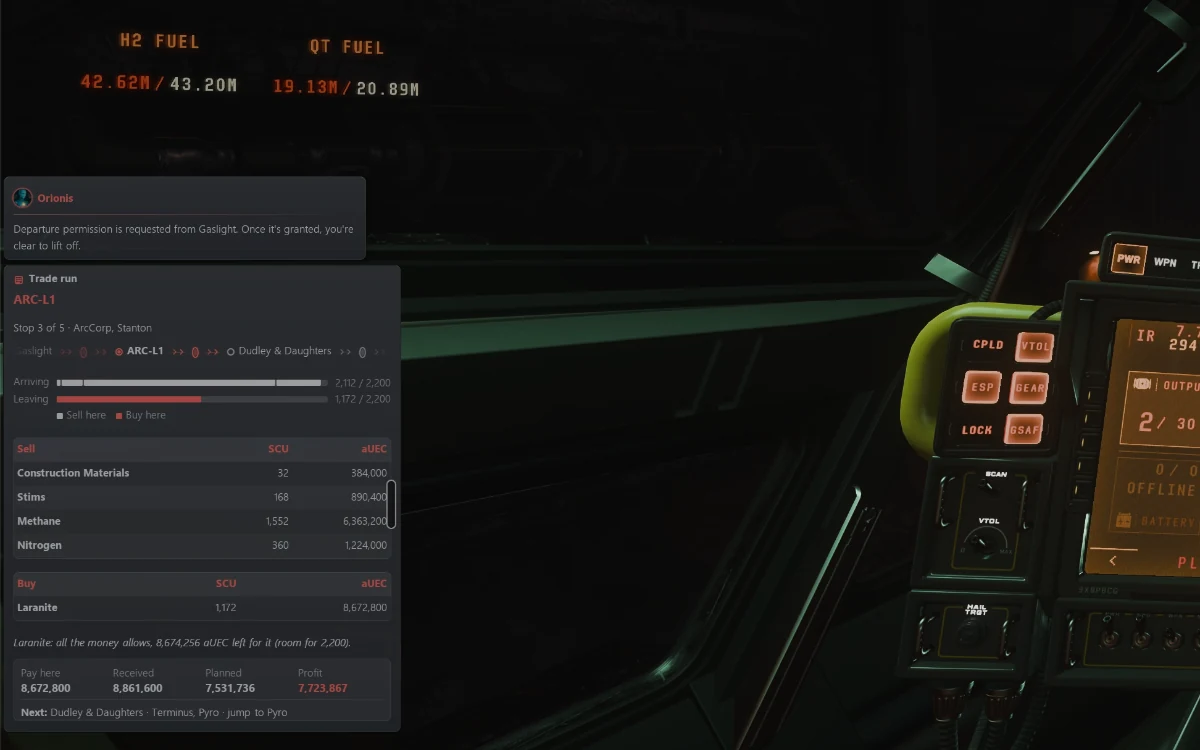
A transparent layer on top of Star Citizen. Your Wingmen put their replies and info panels there, so you never have to tab out of the game.

  • -> Replies from your Wingmen right in the game
  • -> Info panels, for example your current trade run
  • -> Timers and progress bars

Log Reader

Star Citizen Log Reader by Mallachi

Log Reader

Star Citizen writes a log file while you play. The log reader follows it and passes on what happens, so your Wingman knows without you saying a word.

  • -> Missions, armistice zones, CrimeStat, injuries, hangar and trades
  • -> Your Wingman reacts on its own
  • -> No mods: it only reads the log file

// Examples

Things you can say

Like chatting with ChatGPT, but you set the rules. A few examples:

  • Power up my ship!
  • Please give me a good trade route starting in New Babbage.
  • What's the difference between a Constellation Taurus and a Constellation Andromeda?
  • What did we do in our last session?
  • There is this one song from the movie 'A Star is born'. Play it on Spotify.
  • Tell me a joke!
  • Request landing at Port Tressler.
  • Where do I get the best price for Laranite?
  • Lower the landing gear and open the ramp.
  • Set a timer for ten minutes.
  • Talk like a grumpy pirate from now on.
  • Take a screenshot of this view.
  • Tell me something about the Vanduul.
  • Turn the music down a bit.
  • What do you see on my screen right now?
  • Switch from my headset to the speakers.
  • Which ship should I buy for mining?
  • Remember that for later.

// Virtual reality

Headset on, hands on the controls

In VR you can't see your keyboard. Wingman AI becomes your hands-free controller: you talk, it does the rest.

01

Talk on any button

Put push-to-talk on a joystick, HOTAS or mouse button, or just talk with voice activation.

02

No keyboard needed

Your Wingman presses the keys and runs the macros you can't reach with the headset on.

03

Ask, don't alt-tab

Lore, trade routes or a quick question, without taking the headset off.

04

Characters that talk back

Companions with their own voice that stay in character, like our players build for Fallout 4 VR.

// Infinitely extensible

Skills & MCP Servers

Skills and MCP servers connect your Wingmen to other apps, services and APIs. Your Wingman decides when to use them.

Skills

20 / ∞

Extend the capabilities of any Wingman with modular, community-built Skills. Control Spotify, search the web, generate images, manage files, analyze screenshots with Vision AI, and much more. New Skills are being added by the community all the time.

  • +

MCP Servers

Connect your Wingmen to external tools through the Model Context Protocol. Anything that speaks MCP works: databases, third-party apps or smart home devices.

  • Star Citizen Lore Star Citizen
  • StarHead Star Citizen
  • VerseTime Star Citizen
  • Elite Dangerous Systems, stations, trade
  • No Man's Sky Assistant No Man's Sky
  • Wingman Web Search
  • Perplexity Web Search
  • ElevenLabs

// Custom skills

Let an AI agent build your skill

Skills are small Python modules. Our core repository has a guide written for AI coding agents like Claude Code, Codex or Cursor. Describe what your skill should do, let the agent write it and copy the folder to custom_skills. The agent also tells you when an MCP server would be the better fit.

you > Build a Wingman skill that plays radio static before every reply.

agent > Read skills/AGENTS.md. This needs the hook before text-to-speech, so a skill is the right choice. Writing custom_skills/radio_static/ now.

custom_skills/radio_static/main.py · default_config.yaml · logo.png

// The client

Everything in one app

Chat with your Wingmen, record keybindings and change every setting without touching a config file.

Chat
  1. 01

    Chat history

  2. 02

    Individual Wingmen with their own personalities and skills

  3. 03

    Speech recognition and synthesis for an immersive experience

  4. 04

    Integration of StarHead or other API's to provide real-time information

// Your setup

Ready to go, or your own keys

Speech-to-text, the AI model and text-to-speech are three separate steps. Take ours, or pick a provider for each.

Mode A

Ready to Go

No API keys, no setup. The AI models and voices run on our servers. Download Wingman AI and start talking.

Mode B

Full Control

Use your own API keys for OpenAI, Google, Mistral, Groq, OpenRouter, ElevenLabs and more, or run all three steps on your own PC with Parakeet, a local LLM and Pocket TTS.

01 Speech-to-text

  • Wingman AI Cloud Service
  • Parakeet· local

02 AI model

  • Wingman AI Cloud Service
  • OpenAI
  • Google
  • Mistral
  • Groq
  • OpenRouter
  • Cerebras
  • xAI
  • Local LLM· local

03 Text-to-speech

  • Wingman AI Cloud Service
  • ElevenLabs
  • Inworld
  • OpenAI
  • Hume
  • Edge TTS
  • Pocket TTS· local
  • xVASynth· local

// From our Discord

What players say

  • formerly_chucks_69: It's like an improved VoiceAttack... very nice.
  • xenon1416: This should be getting so much more attention, actually massive!
  • HypMunkey: This has been SO much fun to test!
  • DiVille_UK: It's been awesome to be a part of this project so far, the devs are super responsive and Wingman is showing real improvement. Keep it up guys!
  • rulstwentythree3623: I've been following Wingman AI since the early beta. I find it amazing how quickly it has developed. I'm excited to see what else will be added! It's also great that you can get help in the Discord and contribute ideas there.
  • USCsteveO: Amazing leap forward, very unexpected but very pleased with your work so far. Can't wait to see this expand with more users and more awareness of its many possibilities!
  • jabbathehut9587: I have been testing this for a couple of days now... WOW! I'm blown away! This takes everything to another level!!
  • Johnnyo2408: Wow, just wow!! This has the potential to be a total game changer! Full immersion. Seriously mind blown right now!!

// FAQ

Questions & Answers

If you need help or have any questions, feel free to join our Discord server. Here are some common questions and answers to help you start.

01 Is it like Voice Attack?

Wingman AI is not just a voice command tool. It's a full AI client that is way more intelligent, modern and flexible but it also covers everything Voice Attack can do.

02 Is it free?

Wingman AI Core is open source and free. Our client is free too, with every feature included. Pro and Ultra give you more usage, more voices and Voice Activation. Check our pricing page for more information!

03 Can I try it first?

Absolutely. The Free plan is free forever and comes with enough usage to really get to know Wingman.

04 What happened to the 7-day trial and the Creator plan?

Both are gone. The Free plan replaces the trial: it never runs out, and its budget refills every month. Discount codes and the Creator plan are replaced by Tell a friend: share your invite link, and when a friend subscribes, you both get a Usage Reset. It gives you a fresh month of usage right away, works on any plan and never expires.

05 Is it just for Star Citizen?

No. We are deeply rooted in the Star Citizen community and most of our members play it, but it can be used with any game or application.

06 Does it run on Mac or Linux?

Windows and macOS are supported; on a Mac you need macOS 14 or newer and Apple Silicon. Linux is highly experimental, and we need people who use it to help us make it better.

07 Isn't it faster to just press the buttons?

Yes, but it's a lot less fun, and have you ever played a game with so many keybindings that you can't remember them all?

  • 01

    Multilingual

    Talk in English, German, French, Spanish, Italian, Portuguese or Dutch, or set any other language. Your Wingmen answer in it.

  • 02

    Standalone & Safe

    Wingman AI runs next to your games and apps and doesn't hook into them. It never reads or changes your game's memory. In Star Citizen it only reads the log file the game writes anyway.

  • 03

    Open Source

    Wingman AI Core is open source. Developers from our community build skills, fix bugs and help us improve it.

// What's stopping you?

Try Wingman AI now

Start with the Free plan. When you want more usage and more voices, upgrade whenever you like and cancel anytime. Our active Discord community is there if you need help.

Windows

Fully supported

We build and test every release on Windows first.

Download .exe
macOS

Supported

Needs macOS 14 or newer on a Mac with Apple Silicon. Well tested.

Download .dmg
Linux

Highly experimental

We need you to make it better. Help on GitHub ->

Download .AppImage
Join our Discord community

New Sign up, switch or cancel your plan right here on the website or in our client.

See plans -> Manage your plan ->

* The Star Citizen screenshots and the video show the real game. The other ships, planets and characters on this website are generated with AI for illustration and don't show any real game.

Wingman AI is an unofficial fan project and not affiliated with the Cloud Imperium group of companies. Star Citizen®, Roberts Space Industries® and Cloud Imperium® are registered trademarks of Cloud Imperium Rights LLC. All other game names and trademarks belong to their respective owners.